

Router Manager for Zyxel: your Zyxel router on your phone
An Android app that talks directly to your Zyxel home router over your home network: who is connected and what each device is, Wi-Fi networks with QR sharing, parental control schedules, routes, the system log and every connection drop. No cloud and no account; what it reads from the router stays on your phone. Unofficial; not affiliated with Zyxel.
How to connect to your Zyxel router
- Connect the phone to your home Wi-Fi network (the one the router provides).
- Open the app: it finds the router at its usual address (192.168.1.1) and shows its model and firmware.
- Sign in with the router's admin user and password, the same as in its web interface. "Remember password" stores it encrypted on the phone only.
- No router at hand? Tap "Try without a router" to explore the app on built-in sample data.
Screenshots
Overview and devices
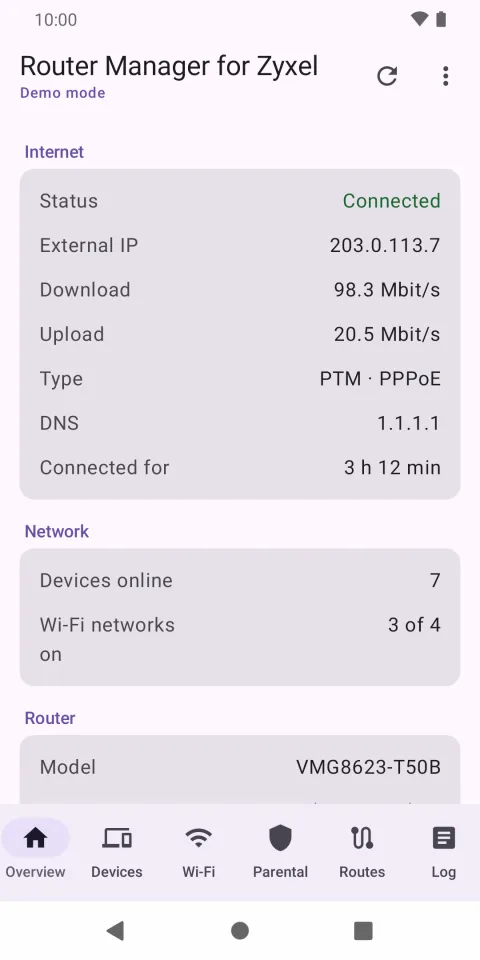
- Internet status, external IP, DSL sync rate, connection time and the last connection drop.
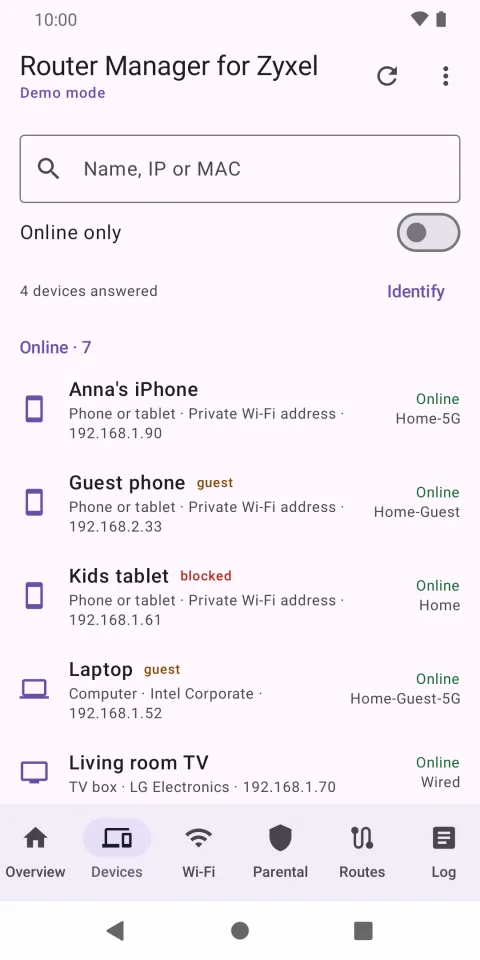
- Everyone on your network with type, Wi-Fi band and signal, traffic, IP and MAC; devices that went offline stay in the list.
- Unknown devices are identified by manufacturer (built-in IEEE registry) and by what they report about themselves over mDNS, SSDP and NetBIOS: name, model, services. Private (random) Wi-Fi addresses are marked.
Wi-Fi and parental control
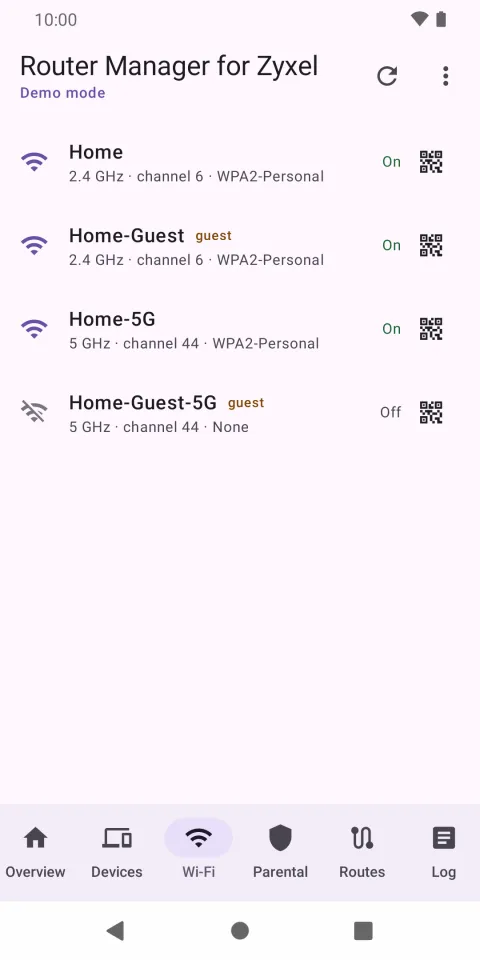
- Wi-Fi networks with band, channel and security, including guest networks.
- Share any network with a QR code that Android and iPhone cameras understand; the password is read from the router only when you ask.
- Parental control profiles: chosen devices, days and hours, turned on and off with one tap.
Log and connection drops
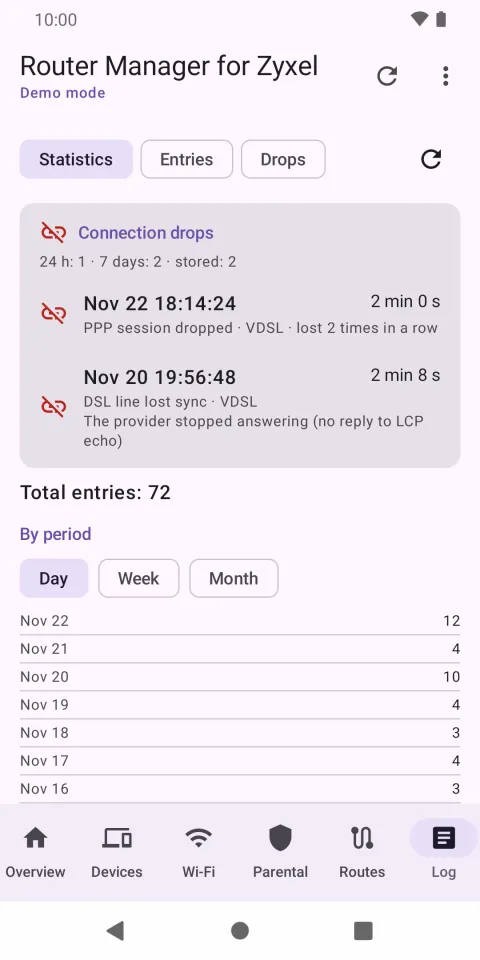
- The router's system log with search, severity filter and statistics by day, week and month.
- Connection drops in a separate list: when the link was lost and restored, whether the DSL line or the provider session dropped, the cause and the related log lines.
- The DSL line state for each drop: sync rate, noise margin, attenuation, output power and error counters.
Good to know
- Unofficial app, tested on the VMG8623-T50B; not affiliated with Zyxel.
- Routes (static, DNS, policy, RIP) and router reboot are available too.
- Android only; there is no iPhone version.
Questions and answers
Which Zyxel routers does it work with?
It is tested on the VMG8623-T50B. It uses the same web interface protocol as many other Zyxel routers, so it should also work with models such as VMG8825-T50, VMG3625-T50B, VMG4005-B50A, AX7501-B0, EX5601-T1, NR5103E, NR5307, NR7101, NR7102, NR7302, FWA505, FWA510, FWA710 and the LTE3202, LTE5398 and LTE7490 series. Available features depend on the model and firmware: 4G/5G models have no DSL line statistics.
Does it work away from home?
No. The app talks to the router directly on your local network, without any cloud service. Away from home it can only show its demo mode.
What is a connection drop and why is it kept in the app?
A moment when the router lost its internet connection: the DSL line lost sync or the provider session (PPPoE) dropped. The router keeps its log only for a few hours, so the app reads it while it is open and saves every drop for 90 days with the time, duration, cause if logged and the DSL line state (sync rate, noise margin, attenuation, errors).
Is my router password safe?
It is sent only to your router, over HTTPS, and stored only if you ask, encrypted with an Android Keystore key. The app remembers the router's certificate and refuses to connect if it suddenly changes.
Can I use the app and the router's web interface at the same time?
Usually not: Zyxel routers allow one admin session at a time, so signing in from the browser signs the app out and the other way round.
At a glance
- Price
- Free, with a banner ad; a one-time purchase removes it. Crash reports and anonymous usage statistics go to Firebase; addresses, device names, passwords and log contents do not.
- Languages
- English, Czech, German, Russian, Ukrainian
Links
Found Router Manager for Zyxel useful? You can support its development.